Free during early access

Your best prompts, ready in a tap.

Prompteu is a private library for the prompts you actually reuse. Save them once, fill in the blanks, and send them straight to Claude, ChatGPT, Gemini or Midjourney — on the web and on Android, synced with end-to-end encryption.

No card, no ads, no tracking, no sign-up needed. Add a free account whenever you like to back up and sync — close the tab or lose your phone, nothing is lost.

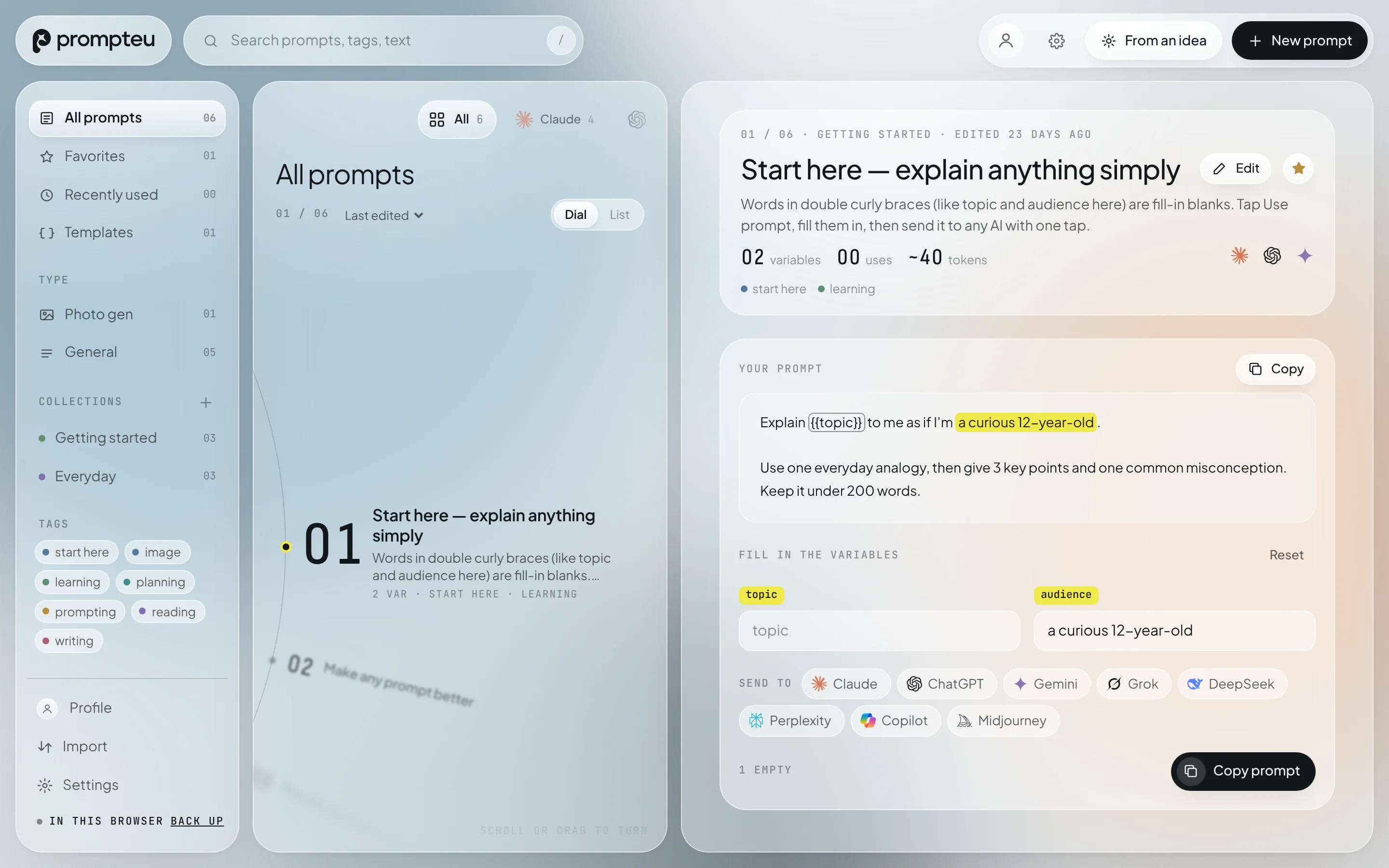
The Prompteu web app: a list of saved prompts on a dial, and an open prompt with its fill-in-the-blank variables highlighted
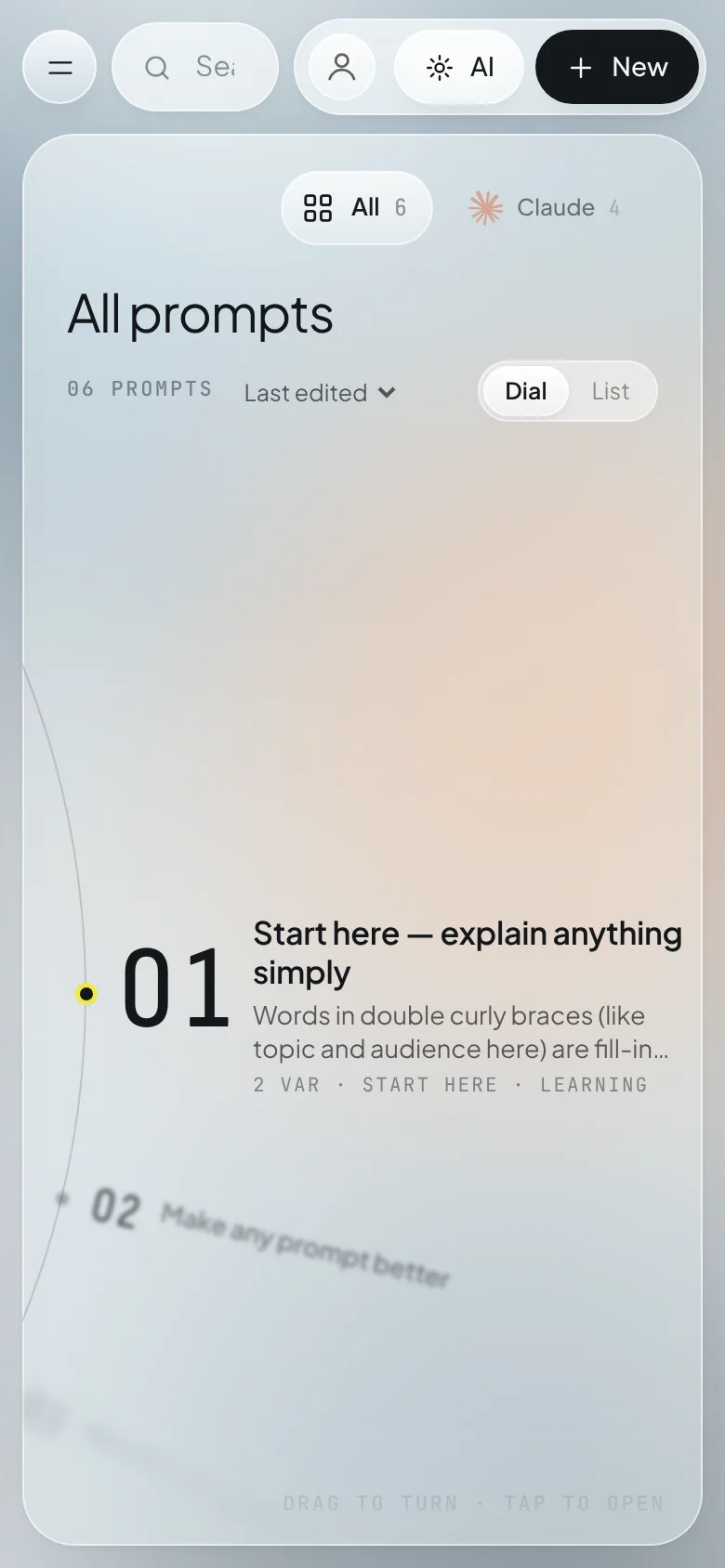
Prompteu on a phone

Send prompts to the AI you already use

  • Claude
  • ChatGPT
  • Gemini
  • Grok
  • DeepSeek
  • Perplexity
  • Copilot
  • Midjourney
  • Any other AI
Features

Stop retyping the prompts that work.

Your good prompts are scattered across chats, notes and screenshots. Prompteu keeps them in one place — organised, versioned and one tap from the AI you want.

Templates with fill-in blanks

Write {{client_name}} once and Prompteu asks for it every time you use the prompt. It remembers your answers and spots details that should become variables for you.

Explain black holes to me as if I’m a curious 12-year-old, in {{format}}.

Send it anywhere

Open Claude, ChatGPT, Gemini, Grok, Perplexity, Copilot or Midjourney with your prompt ready — filled in where the app supports it, copied where it doesn’t. Add any other AI you use.

Version history

Every edit is kept — up to 40 versions per prompt — with a side-by-side diff, so you can go back to the wording that worked.

AI assist, with your own key

Improve a prompt, draft one from a rough idea, suggest titles and tags, or split a long prompt into phases. Uses your own Claude, ChatGPT, Gemini, Grok or DeepSeek key — no middleman.

Organised your way

Collections, tags, favourites and types. Search everything, sort by last used, and turn through your library on a smooth dial.

Private on screen, too

Sensitive prompts can be blurred until you tap them, and copied prompts are cleared from the clipboard after a minute on Android.

Works offline

Your library lives on your device first. No connection? Everything still works, and it syncs when you’re back.

Yours to take

Export everything as JSON, text or a full archive at any time. Import from the web, Android or older Promptbook exports.
How it works

Save it once. Use it forever.

01

Save

Paste a prompt that worked. Prompteu suggests a title, tags and the parts that should be variables.

02

Fill

Next time, just fill in the blanks — client, topic, tone. Your usual answers are remembered.

03

Send

Tap the AI you want. Prompteu opens it with your prompt, or copies it ready to paste.

End-to-end encrypted

Your prompts are your edge. We can’t read them.

Before anything leaves your device, Prompteu encrypts your whole library with a key only your password can unlock. Our servers store a sealed box — no prompts, no titles, no tags — and never see your password.

Your device→AES-256 encrypted→Our servers→Your other device

How our security works

  • Encrypted on your deviceAES-256-GCM with a key that only your password (PBKDF2, 310,000 rounds) or your recovery key can unlock.
  • Your AI keys stay with youAPI keys are kept on your device and sent only to the AI provider you picked — never to us.
  • No ads, no trackersNo analytics SDKs, no ad networks, no selling data. Ever.
  • Leave any timeExport everything, or delete your account and its backup from inside the app.
Platforms

On your desk and in your pocket.

Available now

Web

Works in any modern browser on Windows, Mac, Linux and ChromeOS. Install it as an app from your browser menu.

Open the web app
Early access

Android

The full app, with share-to-Prompteu, home-screen shortcuts, haptics and hardware-backed encryption. Coming to Google Play.

Join early access
Not yet

iPhone & iPad

Not on the roadmap yet — the web app works on iPhone in the meantime. Join the list and tell us you want it.

Tell us
Early access

Be first on Android.

Leave your email and we’ll send you an invite when the Android app opens. One email, no newsletter unless you ask for it.

We only use your email to tell you about Prompteu’s launch. See our privacy policy.

FAQ

Questions, answered.

Is Prompteu free?

Yes — everything is free during early access. If we add paid plans later, we’ll tell you at least 30 days before anything changes, and you’ll always be able to export your prompts.

Do I need an account?

No. Prompteu works straight away and saves your prompts on your device. A free account is optional: create one any time (email or Google) and everything you save is backed up within seconds and synced between the web and Android — so clearing your browser or changing phones never loses anything.

What if I forget my password?

Use the recovery key you saved when you signed up: reset your password by email, enter the recovery key, and your prompts unlock with the new password. We can’t unlock them for you without it — that’s what end-to-end encryption means — so keep the key somewhere safe.

Can you see my prompts or API keys?

No. Prompts are encrypted on your device before they’re uploaded, and API keys never leave your device except to go to the AI provider you chose.

Which AI apps does it work with?

Claude, ChatGPT, Gemini, Grok, DeepSeek, Perplexity, Microsoft Copilot and Midjourney out of the box — and any other AI app or website you add yourself.

Do I need my own AI API key?

Only for AI assist (improving and drafting prompts). Saving, filling and sending prompts to AI apps works without any key.

Can I bring my prompts from somewhere else?

Yes. Import a Prompteu JSON file or paste one in; exports from older Promptbook versions work too. You can export everything at any time.

Your prompts deserve better than a notes app.

Start your library — it’s free